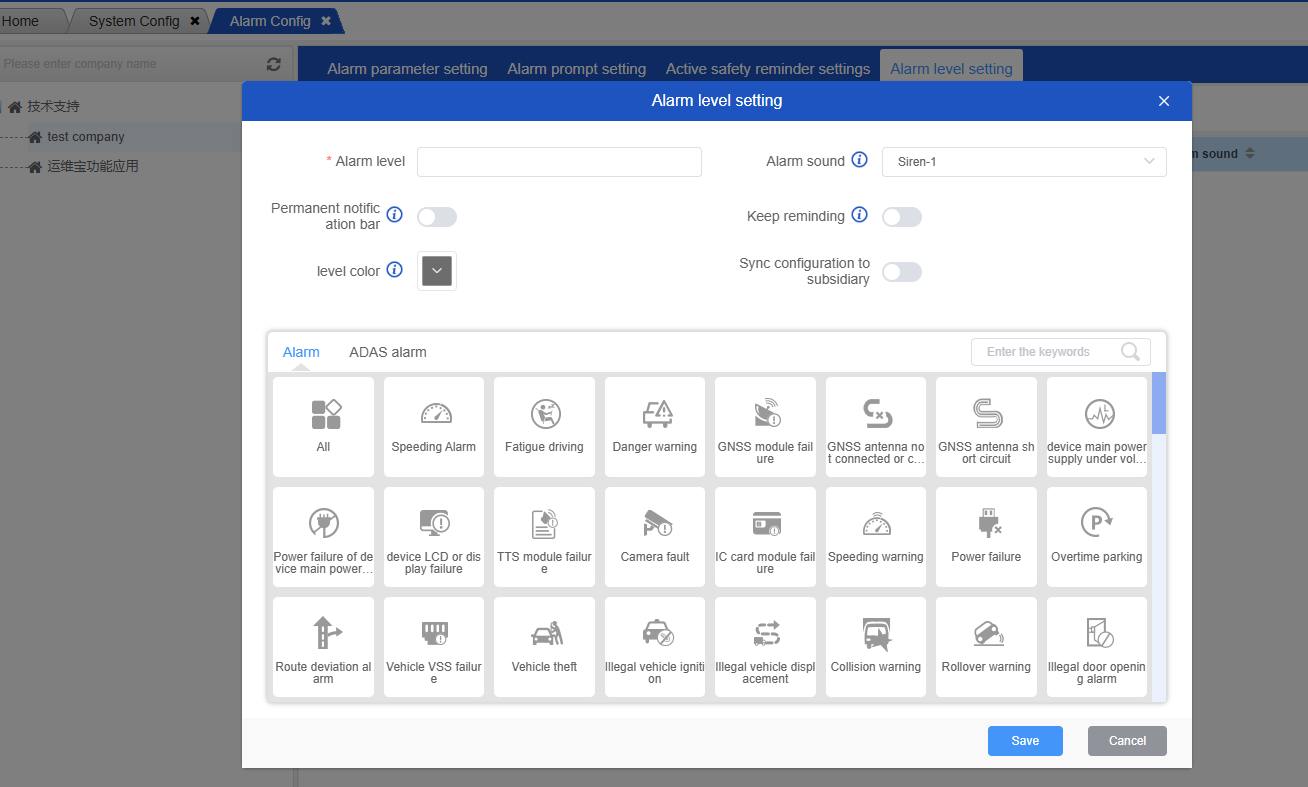
Alarm configuration is used to configure the alarm threshold of each company, whether regular alarms and active safety alarms are displayed, popped, and pushed;
Alarm parameter setting:
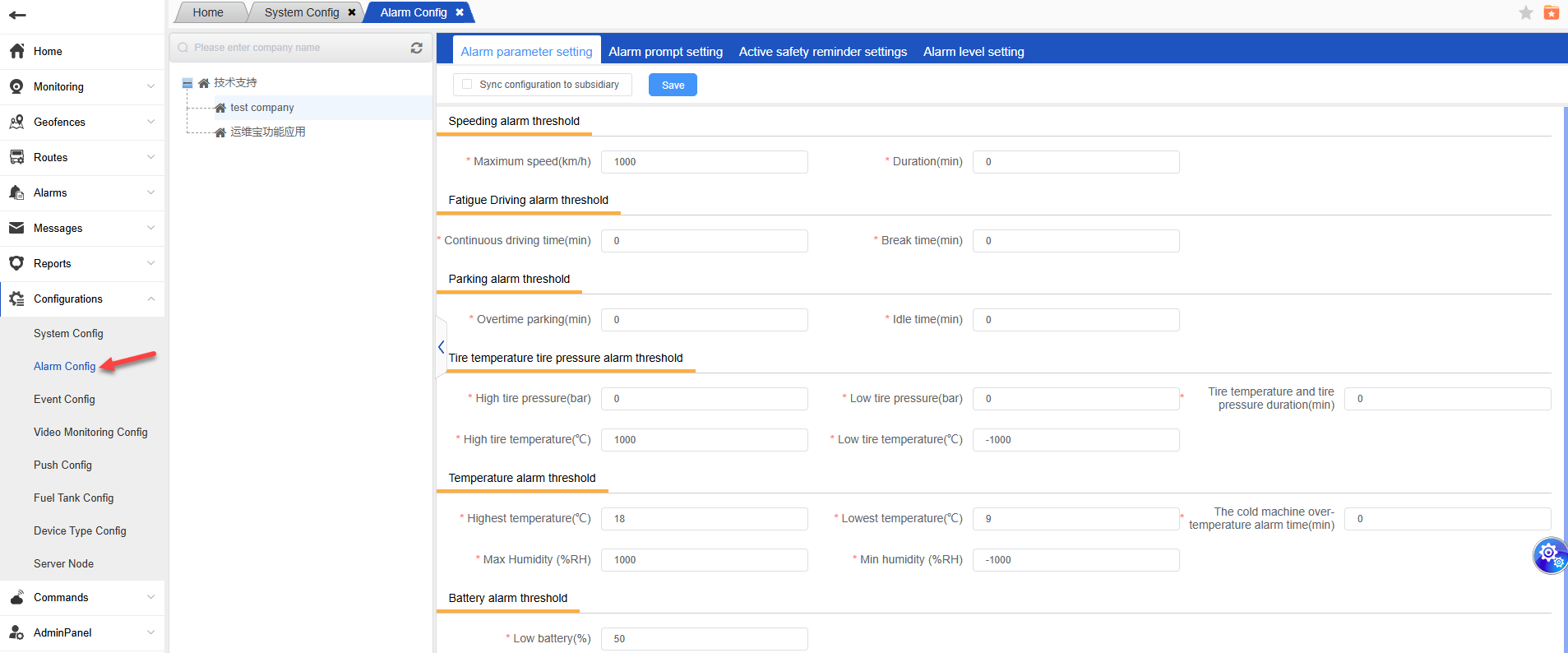
When the asset is in use, when the set alarm threshold is reached, the corresponding alarm data will be generated, which can be viewed in the general alarm.。
Alarm prompt settings:
In this page, you can configure whether to display regular alarms, and whether to display system pop-ups and APP push if displayed;
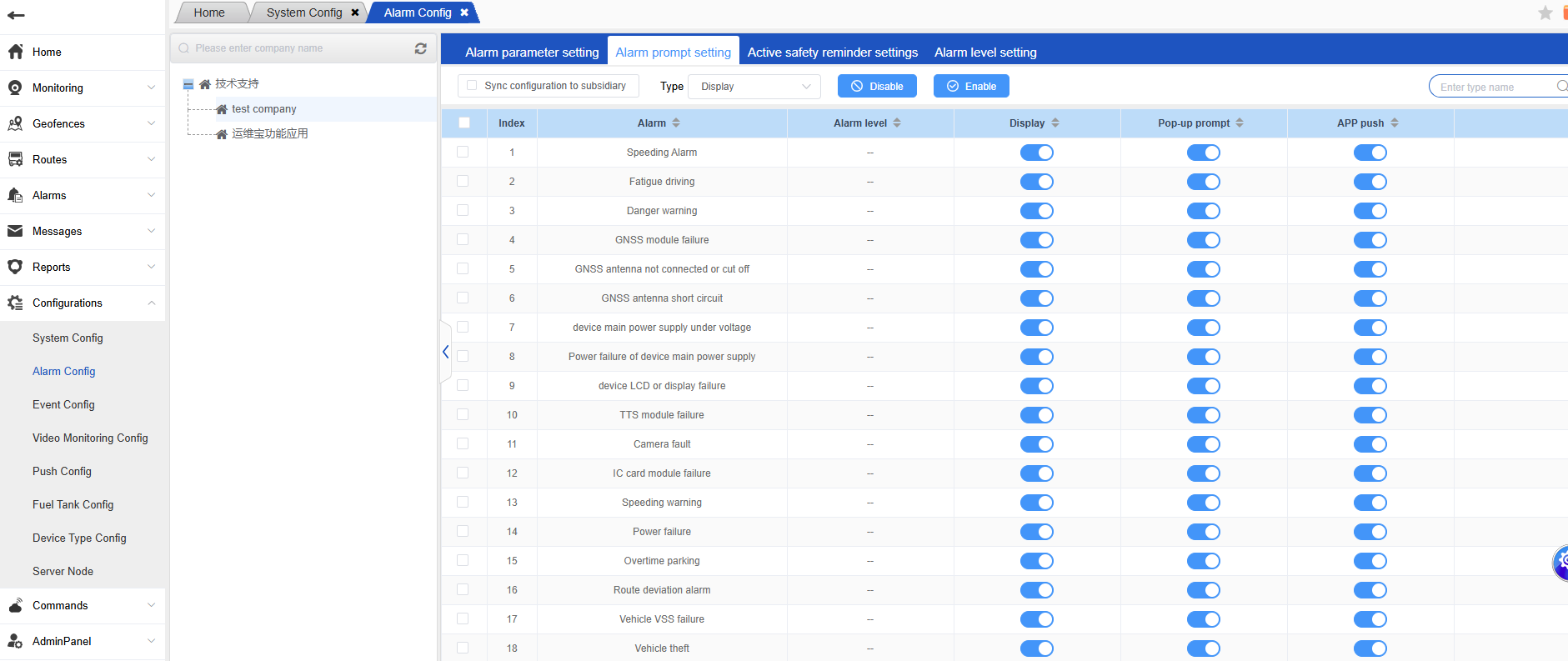
1.The alarm prompt settings have been updated to allow for customizable display of alarm types. If the option to show alarms is selected in the alarm configuration report, then the alarm report and the home page will display the corresponding alarm types. If this option is not selected, the same principle applies.
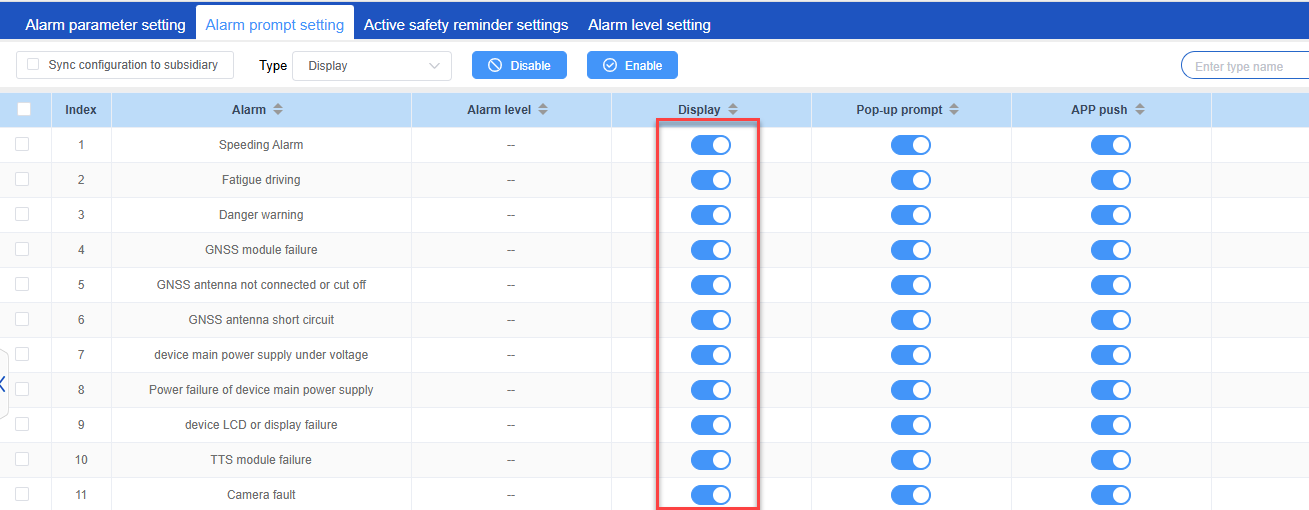
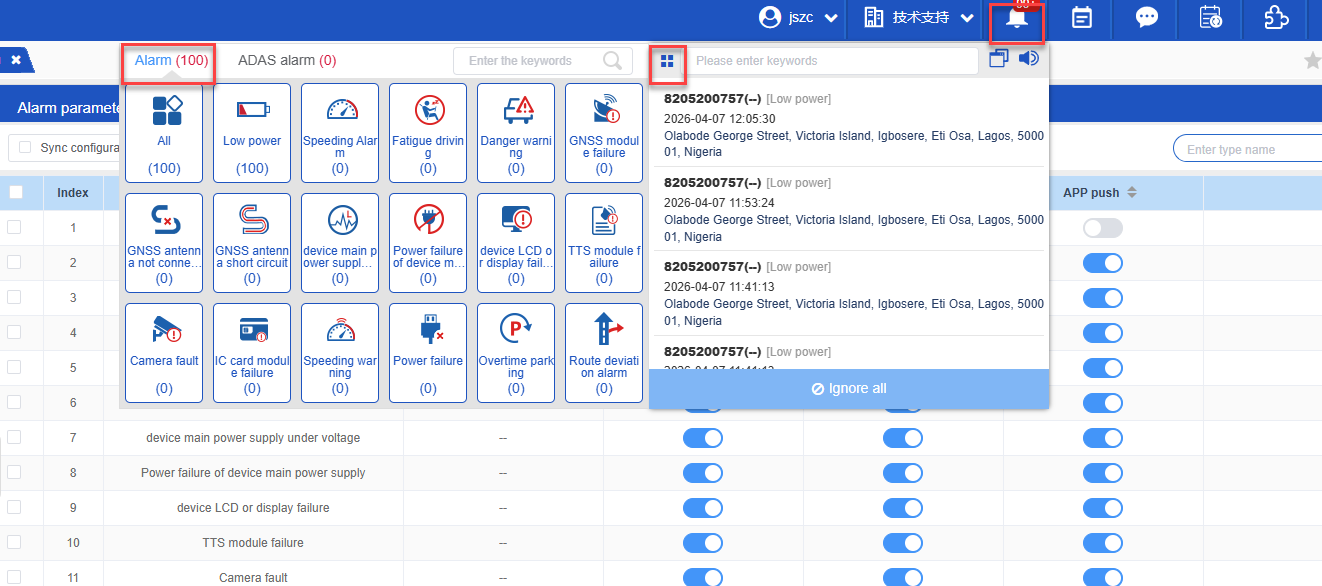
If no display is configured, the system pop-up and APP push will be closed synchronously, and the generated alarm data cannot be queried in the regular alarm.
Active safety (ADAS) alert:
On this page, you can configure whether to display ADAS alarms, and whether to display system pop-ups and APP push if displayed;
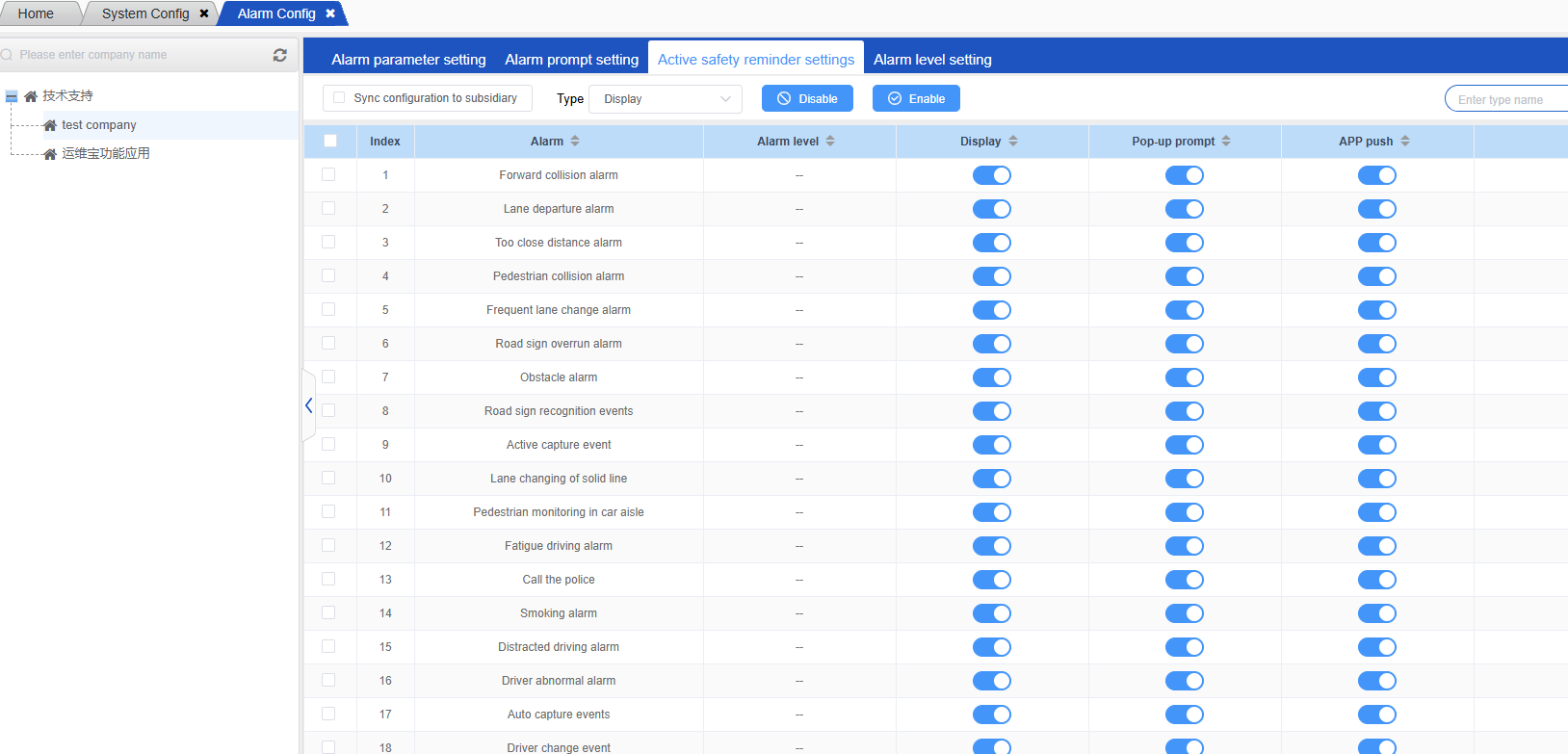
If no display is configured, the system pop-up and APP push will be closed synchronously, and the generated ADAS alarm data cannot be queried in active safety.
Alarm level setting: