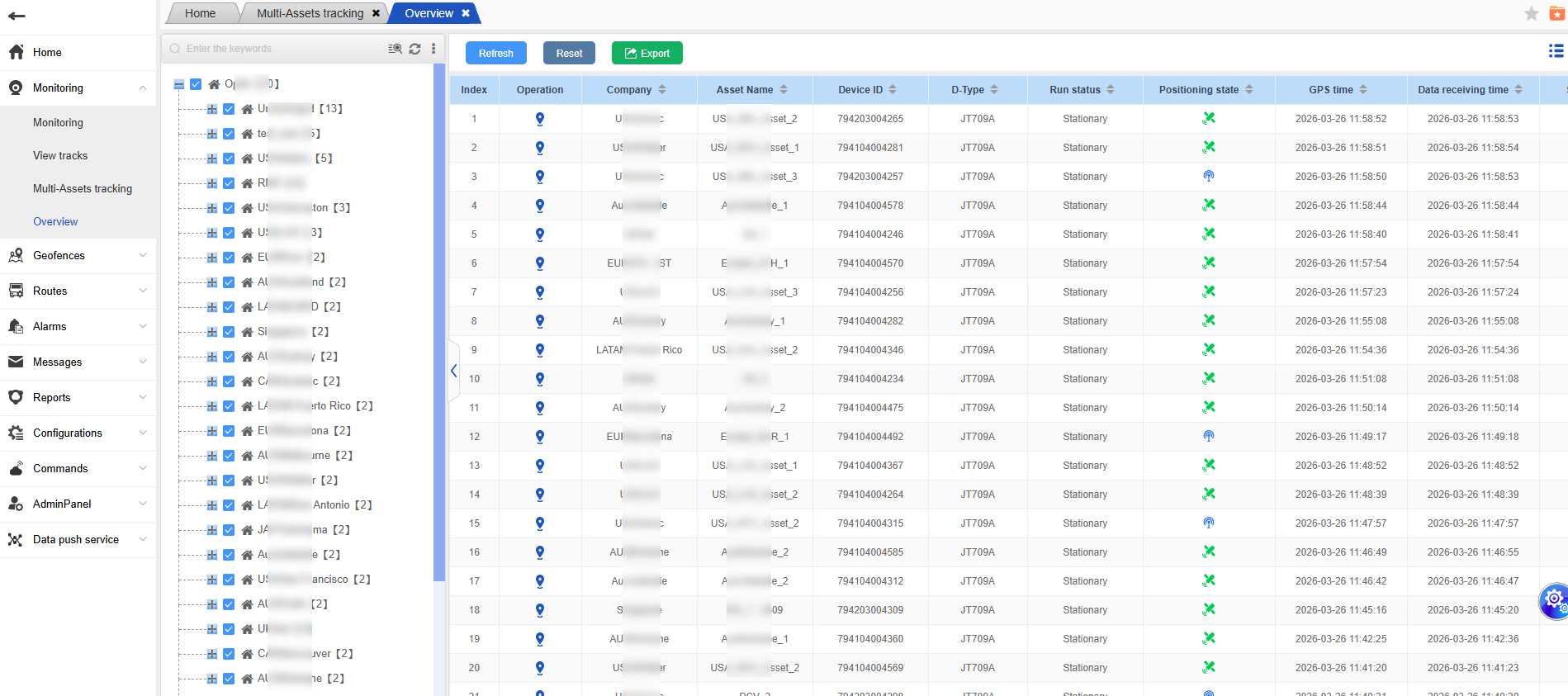
View real-time dynamic data of the vehicle
Open the overview table interface, and you can see the real-time dynamic data of the vehicle, such as its location information, lock status, temperature and humidity, oil level, etc.
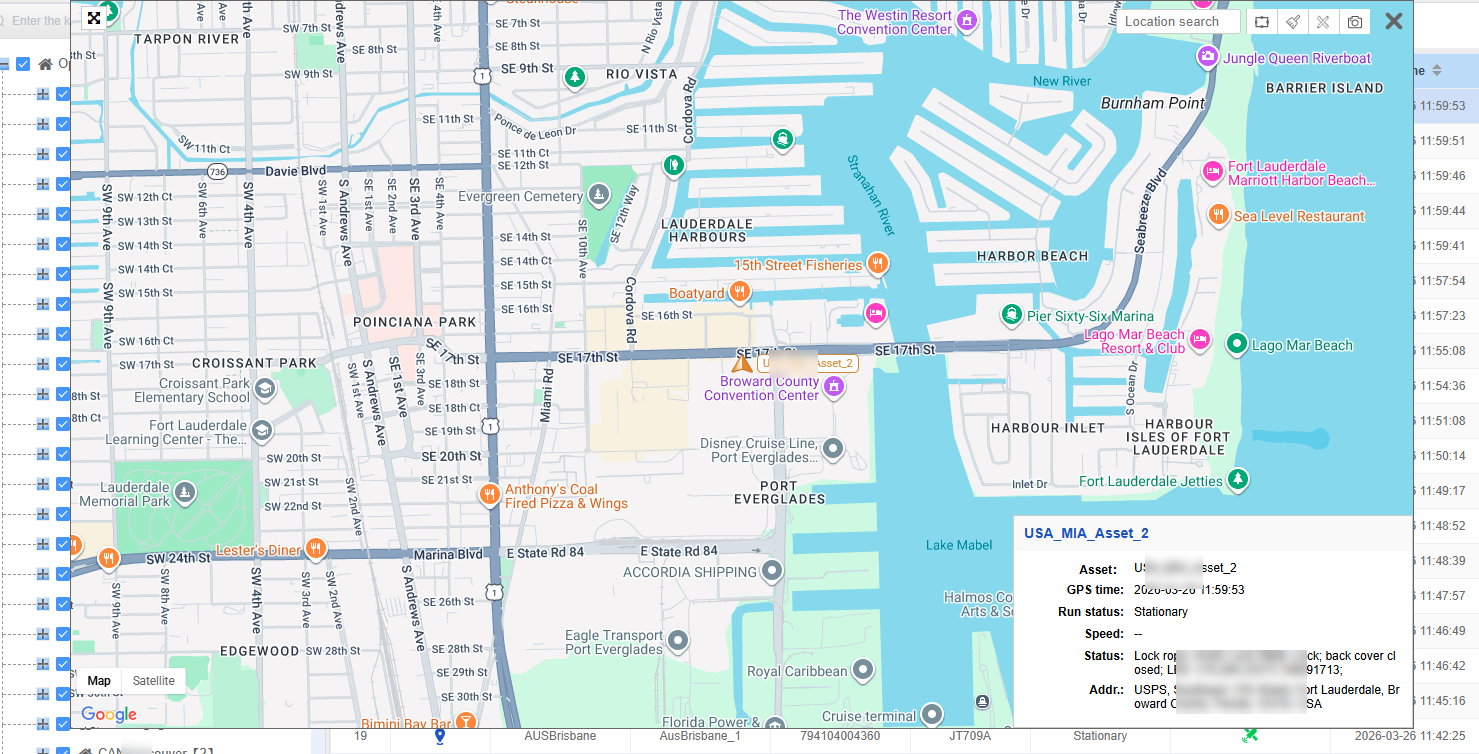
View detailed information of the device
In the overview table, simply click the “View Map” button to view the detailed information of the device.
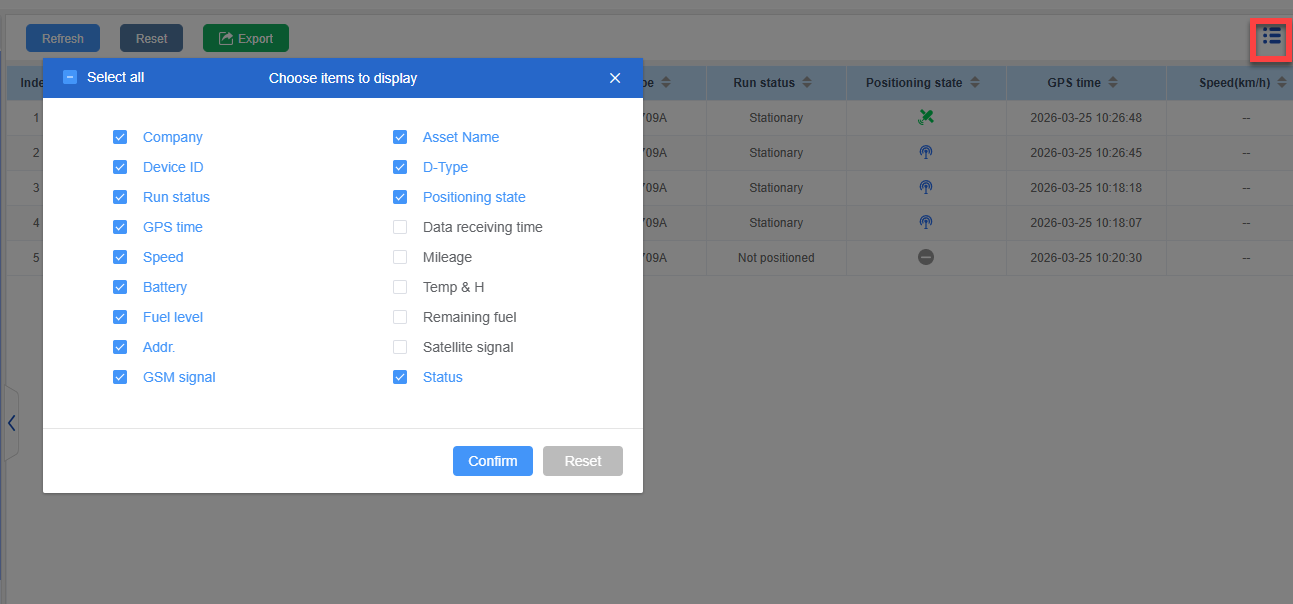
Configure display field information
If you need to configure the field information displayed in the overview table, simply click the configuration icon on the right to make the relevant settings.
Data export:
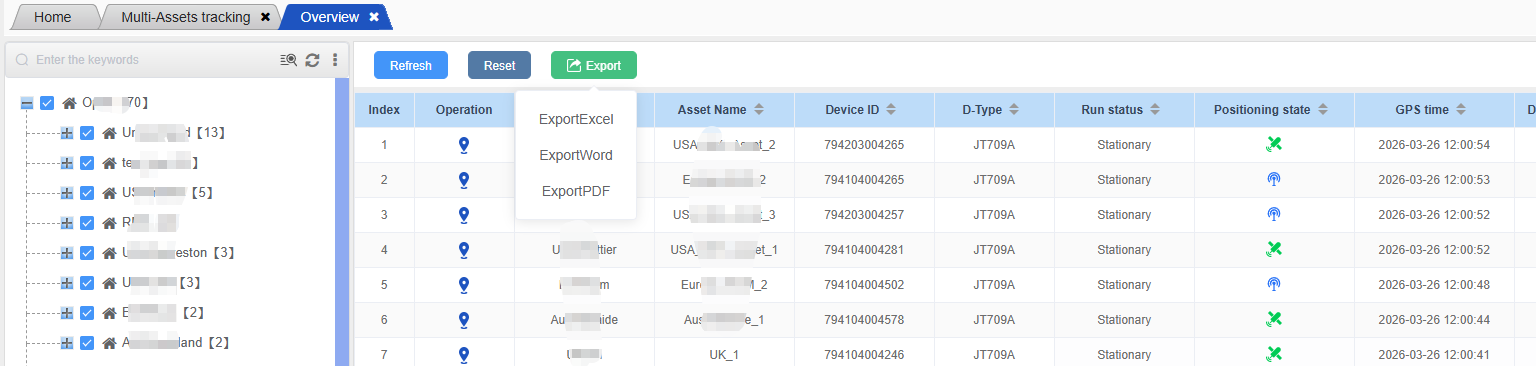
The overview table supports exporting the trajectory list to Excel, Word and PDF files for viewing, and it can also be exported based on the custom displayed fields. Simply click the corresponding export button, select the export format and the fields to be exported, and the data export operation can be completed.